How do I activate my license on a website?
After you install a Gravity PDF add-on / extension on your WordPress website you can enter and activate your license key in your admin area.
An active license for an add-on / extension gives you access to automatic and one-click updates, as well as support for the software on that website.
To activate your license key:
- Navigate to
Forms -> Settings -> PDF -> Licensein your admin area - Enter your license key in the field associated with the extension
- Select the
Save Settingsbutton - Confirm the license was successfully activated
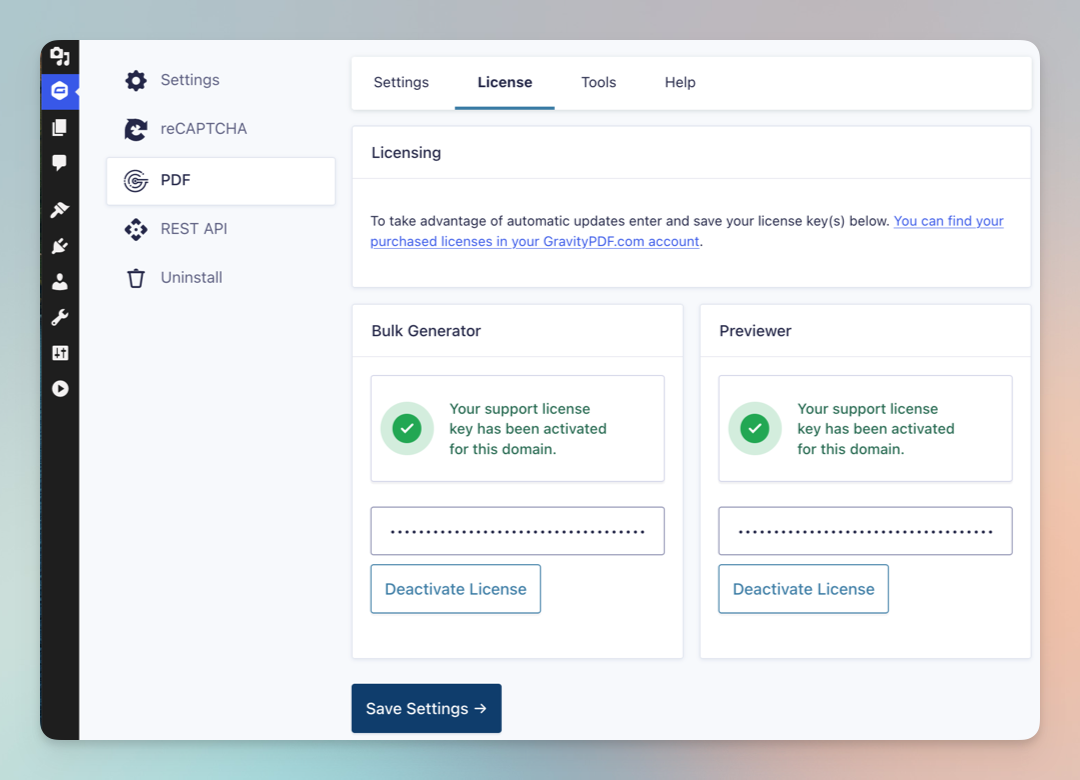
If your license key includes multiple products, you will only need to activate the key for one extension. Developers can also set the license key in code using the GPDF_LICENSE_KEY constant.
Refer to the Extension installation guide for additional information.
note
There is currently no license activation feature for Gravity PDF templates.